Why Your Fast Charger Isn't Working Anymore
Fast charging has quietly become part of daily life, so when it suddenly disappears, the frustration is immediate and very real. One day your phone jumps from low battery to usable in minutes, and the next day it crawls along as if time has gone backward. Many people assume the charger is broken, but in reality, fast charging is a system where several small factors must work together. A tiny change in one part can slow everything down without obvious warning. In this article, we will walk through practical, step-by-step ways to understand what is happening and how to restore fast charging without unnecessary stress.
First, Inspect Your Hardware for Damage
Check Your Charging Cable for Breaks or Frays
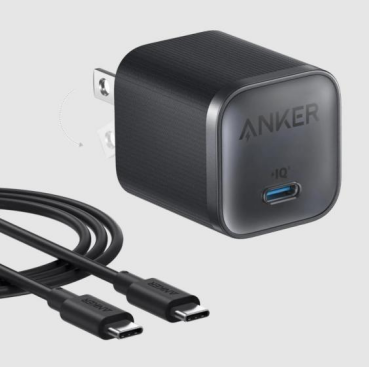
Charging cables are handled every single day, often without much care, which makes them the most common failure point. Bending near the connector, rolling over the cable with a chair, or stuffing it into a bag can damage the internal wires even if the outside looks fine. A cable that still delivers power may not support fast charging speeds anymore, leading to slow and inconsistent results. Many users notice charging works at certain angles, which is a strong sign of internal wear. Replacing the cable with a certified, intact one often restores fast charging immediately and is usually the simplest fix.
Examine the Wall Adapter and Power Outlet
The wall adapter plays a bigger role than most people realize, especially for fast charging. Adapters can degrade over time due to heat, power surges, or constant use, even if they still appear functional. Plugging into a loose or overloaded wall outlet can also limit power delivery without fully cutting it off. A simple test is to move to a different outlet in another room and see if charging behavior changes. If the phone charges noticeably faster elsewhere, the issue may be the outlet or adapter rather than the phone itself.
The Issue Might Be Your Phone or Its Settings
Clean Your Phone's Charging Port of Lint and Debris
A surprising amount of dust and pocket lint can build up inside a charging port over weeks or months. This debris prevents the cable from seating properly, reducing the electrical connection needed for fast charging. Many people assume their cable is loose when the real issue is dirt blocking full contact. Gently cleaning the port with a wooden toothpick or soft brush can make a dramatic difference. After cleaning, users often notice the cable clicks in more firmly and charging speed improves immediately.
Check for Software Updates and Battery Settings
Software plays a silent but important role in charging behavior, especially as systems adapt to battery health and temperature. Updates may include fixes that improve charging stability or compatibility with newer chargers. In real-life scenarios, people exploring guides like how to fast charge iphone 17 often discover that software settings, background activity, or thermal limits can affect perceived charging speed. On some devices, smart charging features intentionally slow down charging to protect long-term battery health.
Common Incompatibilities That Slow Charging Down
Using an Old or Under-Powered Charging Block
Not all charging blocks are designed to deliver fast charging, even if they physically fit the cable. Older blocks may only provide basic power levels that are far below what modern fast charging requires. This mismatch results in safe but slow charging, which often confuses users who expect consistent speed everywhere. The problem becomes noticeable when switching between home, office, and travel chargers. Checking the power rating on the block helps confirm whether it can actually support fast charging.
Connecting Through a Non-Compliant USB Hub or Car Adapter
USB hubs, extension ports, and car adapters are convenient but often limit power output. Many are designed for data transfer or basic charging rather than high-speed power delivery. In daily life, this shows up when charging in a car during navigation or using a desk hub at work. Even though the phone shows it is charging, fast charging may not activate at all. Plugging directly into a wall adapter is the best way to confirm whether these accessories are the source of the slowdown.
When to Suspect a More Serious Problem
Signs of a Failing Phone Battery or Charging Port
As batteries age, they naturally lose efficiency and may no longer accept fast charging at the same rate. This process is gradual and often mistaken for charger failure. Symptoms include rapid battery drain, overheating during charging, or inconsistent charging speeds. A damaged charging port can show similar signs, especially if the phone has been exposed to moisture or repeated stress. When these symptoms persist across different chargers and cables, the issue may be internal.
How to Test with Another Known-Good Charger
Testing with a known-good charger is one of the most reliable diagnostic steps. Borrowing a charger that is confirmed to fast charge another device helps isolate whether the problem is external or internal. If fast charging works normally with the test charger, your original accessories are likely the cause. If the problem remains, attention should shift to the phone itself. This simple comparison saves time and avoids unnecessary replacements.
Conclusion
Fast charging problems rarely appear without reason, even if they feel sudden and inconvenient. By checking cables, adapters, ports, software, and compatibility step by step, most issues can be identified and resolved at home. These small checks reflect how real people use their phones every day, across different rooms, cars, and routines. Understanding that fast charging is a system rather than a single feature makes troubleshooting less frustrating and more logical. With patience and practical observation, restoring fast charging is often much easier than it first appears.